King's College London
Digital Design
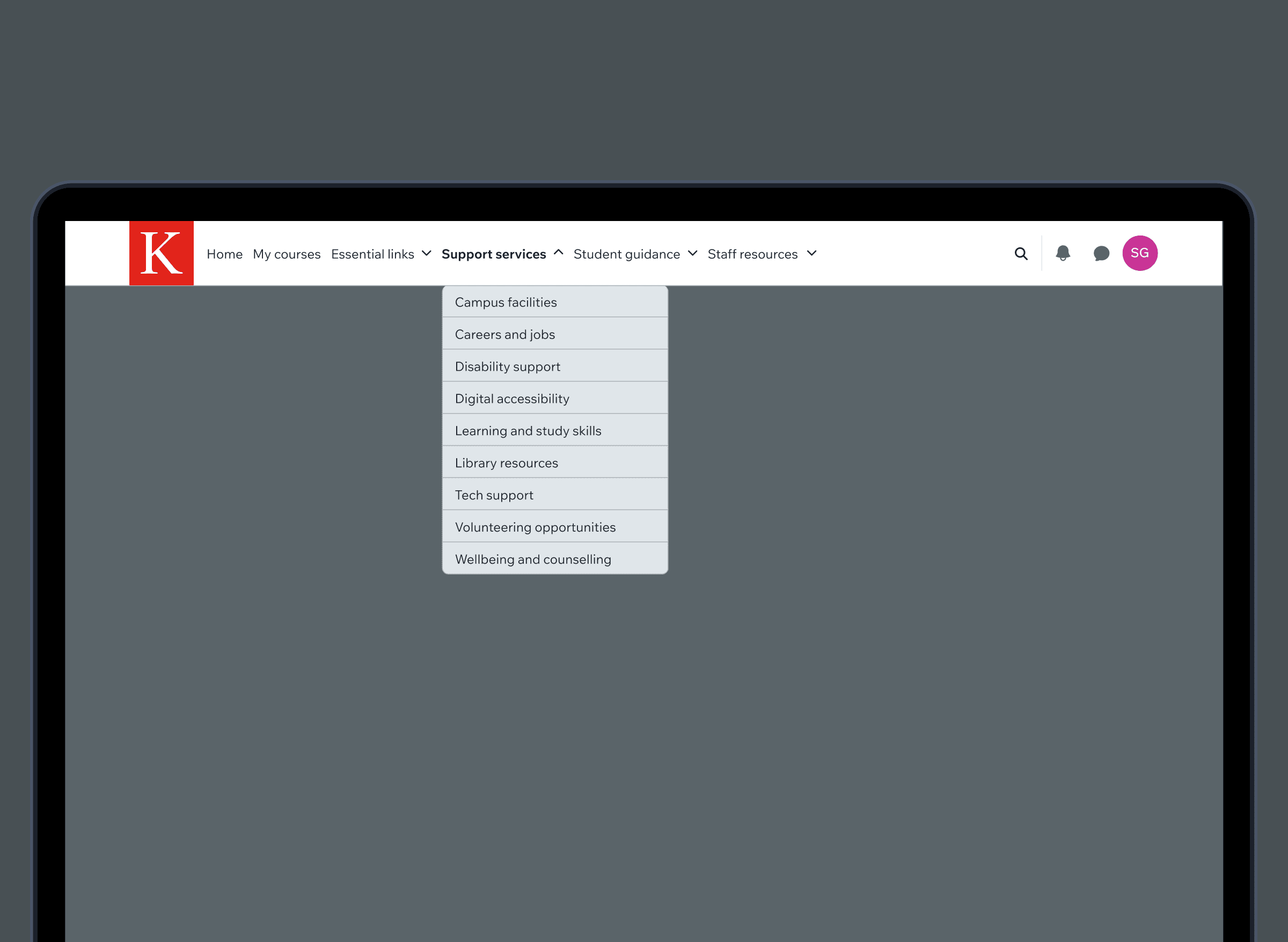
KEATS, the university’s digital learning platform, is used daily by thousands of students and staff. The platform’s navigation bar serves as the primary gateway to key services, tools, and support. However, over time it became busy, inconsistent, and difficult to navigate.
The UX team at King’s Digital were invited to redesign the navigation bar to improve clarity, usability, and alignment with user expectations. Our solution focused on producing a refined experience that’s easier to use, cleaner in design, and grounded in addressing the needs of students and staff.
Research
Guided by design thinking, our aim was to uncover how users interact with the current navigation bar—and more importantly, how they expect it to work. We began with quantitative analysis, tracking user behaviour across key areas of the menu over a 4-day period. Heatmaps and interaction data helped us prioritise specific menu items:
- Quick Links received the highest clicks (1,499), followed by Services (457).
- Student Help and Staff Help, including external links, had significantly fewer clicks (202 and 169 respectively).
- It was unclear whether users were finding what they needed or clicking out of confusion.
Card sorting
To dig deeper into user expectations, we ran a remote card sorting study, recreating the navigation bar’s contents as 28 digital cards. Participants were asked to group them into four categories: Quick Links, Services, Student Help, and Staff Help. We gathered data from 15 participants, combining their card placements with open-ended, qualitative insights, and audio recordings.
The data revealed clear patterns: Quick Links was used as a catch-all for frequently accessed tools, or as a miscellaneous category. Student Help was chosen for content that directly supports student learning, whereas Staff Help was selected for professional or teaching-related content. Services was selected for institutional offerings that felt broader or administrative in nature.
Additionally, several menu items like “My Media”, “Sustainability Module”, and “Flexible Learning & Teaching”, caused confusion. These showed no strong category alignment, suggesting a need for clearer labelling and novel content strategy.
Design
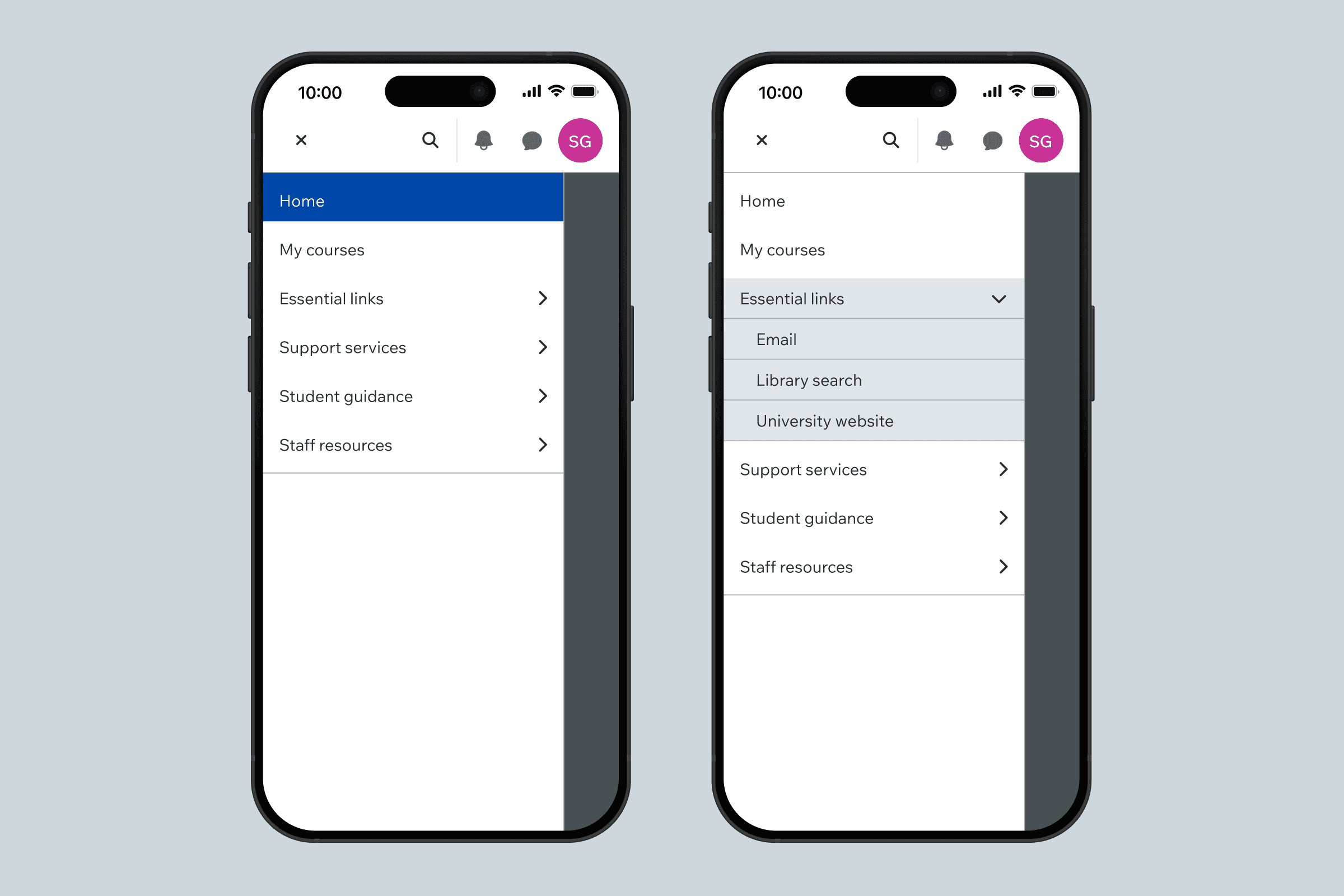
Our ideation phase focused on reducing friction and aligning with user mental models—specifically, clearer labelling across categories, reordering items based on usage and priority, consolidating similar sections, reducing the menu height for better responsiveness, and integrating a search feature. We brought the updated design to life in Figma, then tested a high-fidelity prototype remotely via Userbrain, alongside running in-person guerrilla usability sessions on campus.
Together, key results showed improved navigation clarity, an increase in feature adoption, especially for new elements like the search feature. User satisfaction rose where 61% of participants preferred the new design, and task completion scores improved, where 7/7 users completed key tasks successfully. On campus, students described the redesign as “more streamlined”, “modern”, and “easier to navigate”.
The redesigned KEATS navigation bar offers a simpler, more intuitive navigation experience that meets users where they are. It reflects real user needs—surfaced through quantitative and qualitative research—and brings renewed clarity to a critical platform, designed to inspire and empower.
Client
King's College London
Sector
Education
Discipline
Digital Experiences
Information Architecture
Interaction Design
Product Strategy
UX Design